This page shows how to get passed the "12vpx.exe isn't commonly downloaded" error message.
Keep and run the 12VPX installer
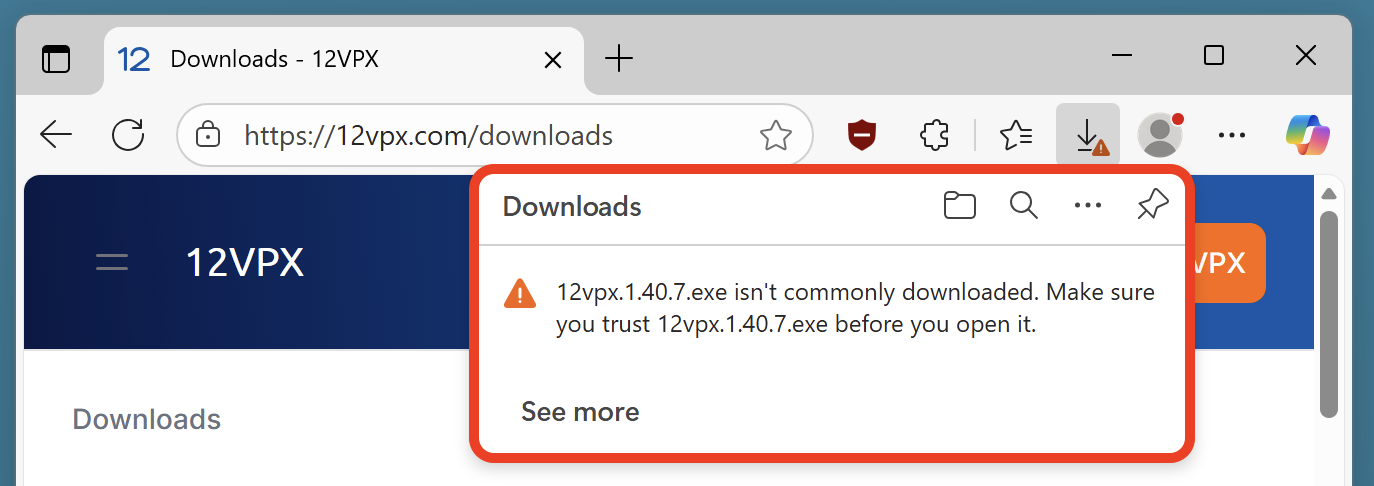
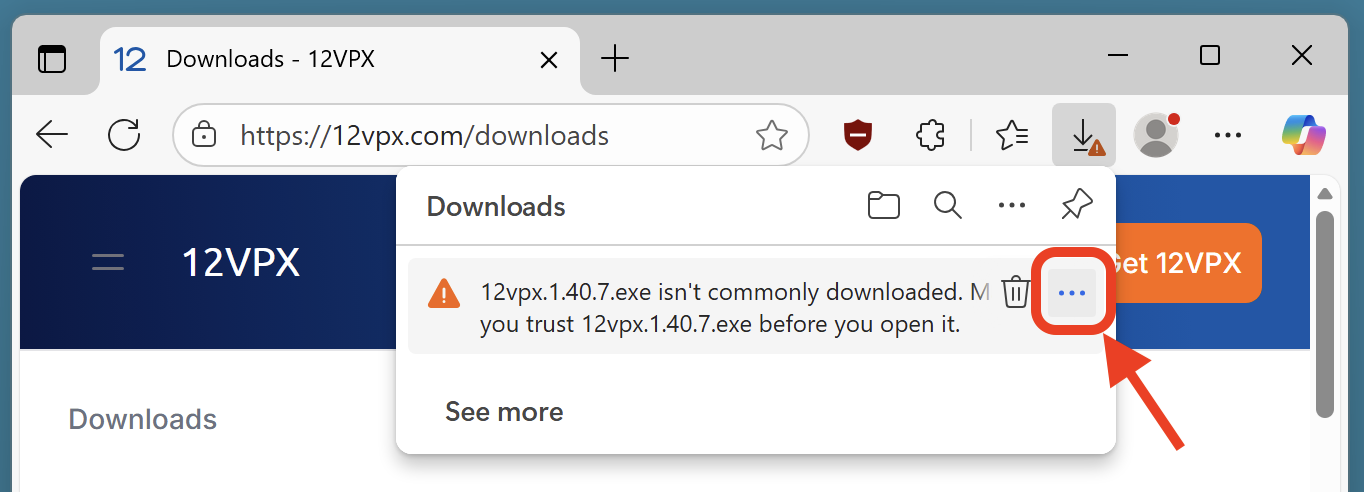
Hover over the error message until the 3-dot menu (⋯) button appears.
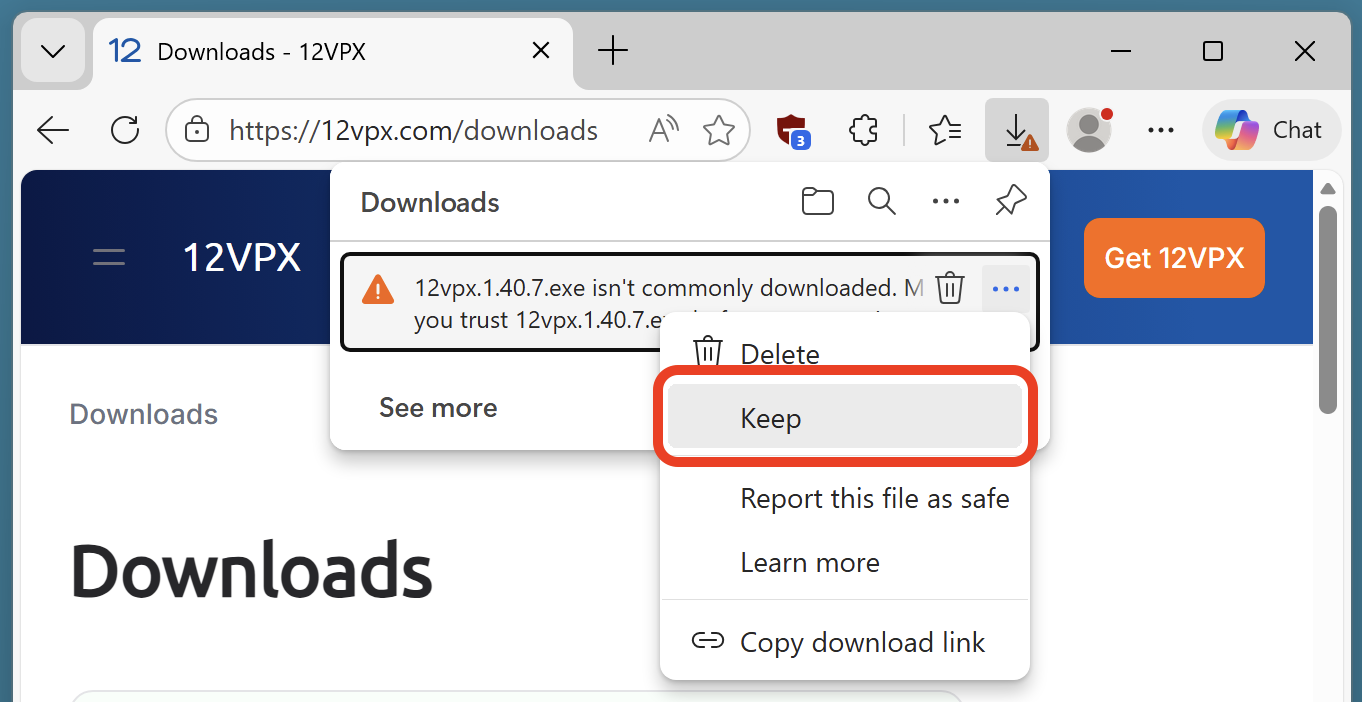
Select the Keep option, indicating that you want to keep the downloaded file.
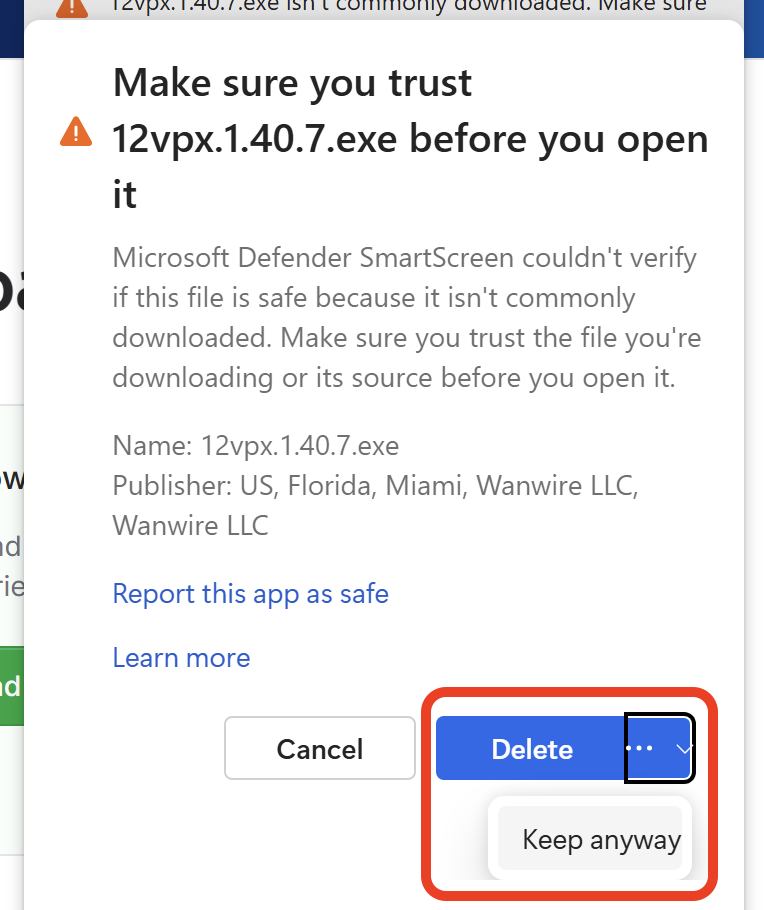
Select the 3-dot menu (⋯), then Keep anyway.
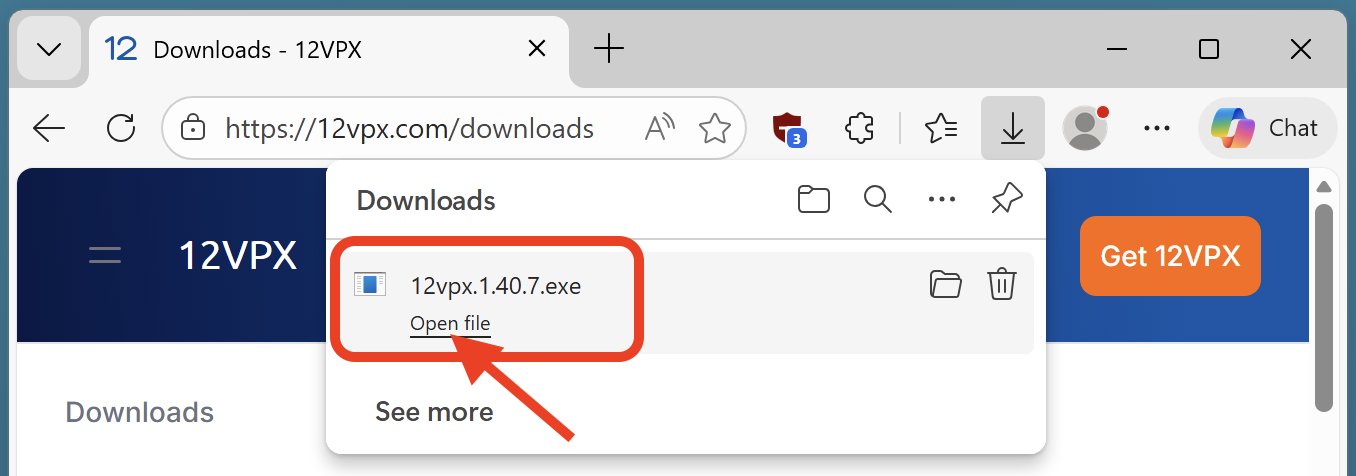
You're now able to open the file.
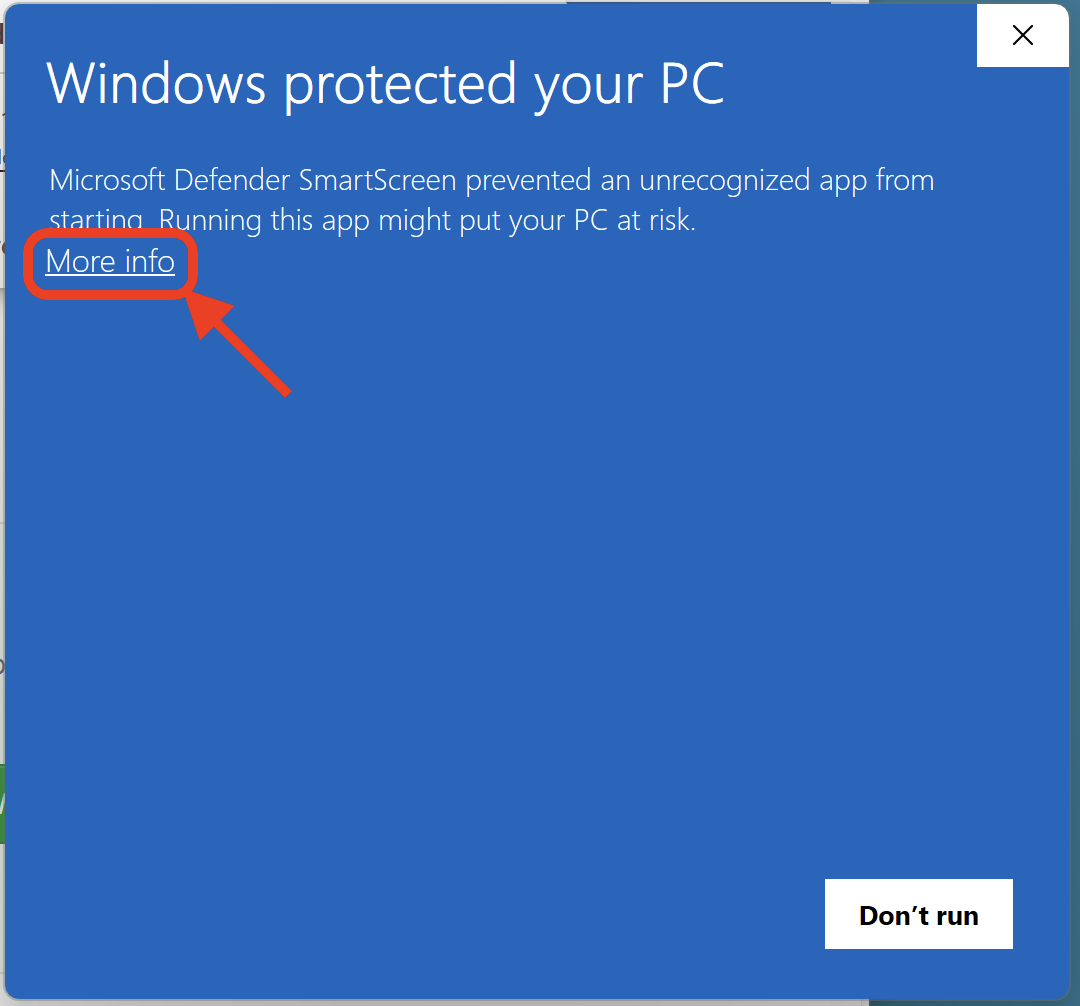
If you use SmartScreen, you may get another pop-up. Select More info.
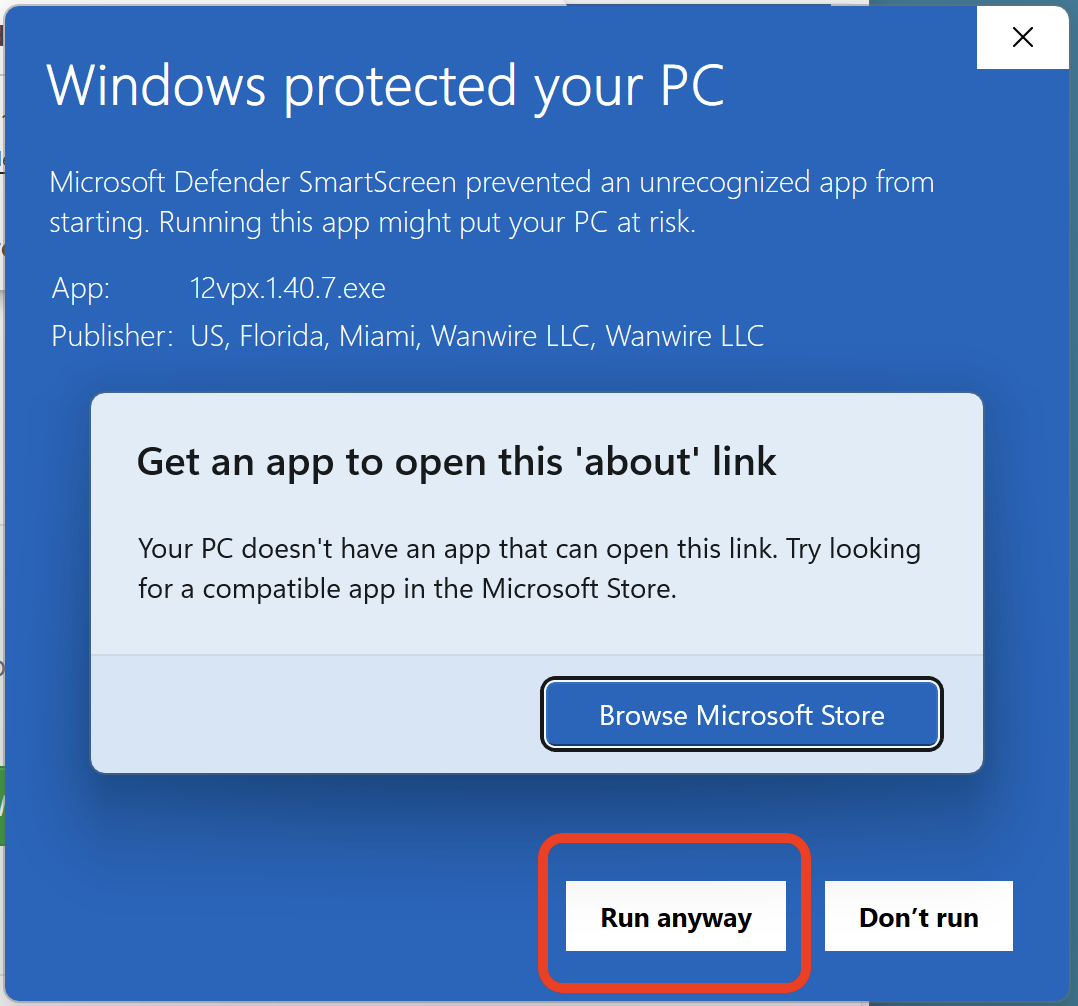
Then select Run anyway.
Reporting the installer as safe
You may have noticed the Report this file as safe option. You may use this version to help us out. Once a sufficient number of people have reported the download as safe, Windows will stop trying to block the download. Thank you!